Start with a Reading, Not a Registration Form
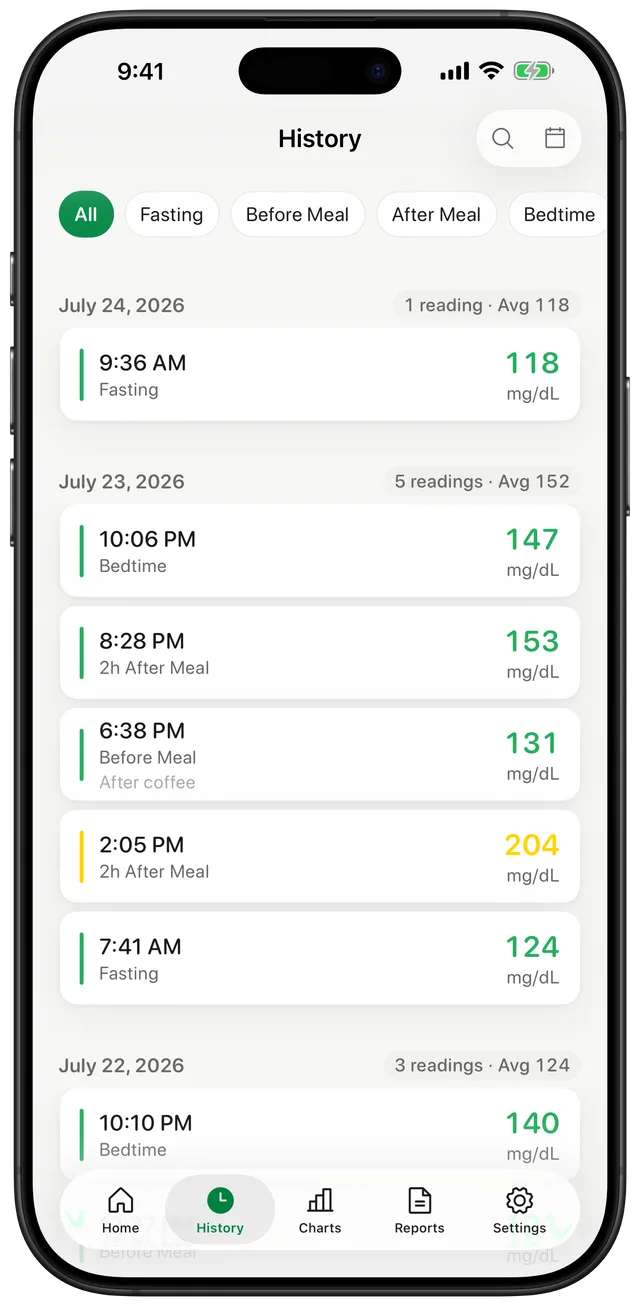
A blood sugar log is most useful when recording a value takes less effort than postponing it. Gludiary does not ask you to create an account or provide your name or email address before you begin. Open the app, choose your unit, and record the number from your glucose meter or CGM.
Each entry can include the time, meal context, a note, and a custom tag. Your history is grouped by day, so the app works like a digital logbook without requiring a profile on a Gludiary server.
Where Your Glucose Records Are Stored
Glucose readings, medication records, target ranges, and profile information are stored locally on your iPhone using Apple's on-device storage framework. There is no automatic cloud synchronisation of that health data to Gludiary servers or third-party cloud storage.
Premium provides a manual JSON backup and restore option when you want to move your history to another device. Apple Health integration is also optional and permission-based. Neither feature is required simply to keep a local log.
Privacy without Vague Promises
Privacy also means being clear about the services an app uses. The free version may display ads, and Gludiary uses services for subscription verification, anonymous product analytics, and crash reporting. Raw glucose values, medication records, note text, and Apple Health samples are not included in those services. Premium disables advertising and App Tracking Transparency data collection inside the app.
The full details, including regional analytics handling and how to delete locally stored data, are available in the Privacy Policy. This page summarises the product workflow; the policy remains the authoritative description.
Deleting the app removes locally stored Gludiary data. Premium users can make a manual backup first if they may want to restore that history later. Apple Health records are managed separately in Apple Health.
How to Keep a No-Account Blood Sugar Log
Open Gludiary
Choose your preferred unit and begin without entering a name, email address, or password.
Record the reading
Enter the value from your meter or CGM, then add meal context or a note if it helps.
Share only when you choose
Create a doctor report or, with Premium, a JSON backup only when you decide that you need one.
Frequently Asked Questions
Do I need an account to use Gludiary?
No. Gludiary does not require an account, login, name, or email address to record and review blood sugar readings.
Are my raw glucose readings sent to Gludiary servers?
No. Raw glucose readings are stored locally on your device and are not transmitted to Gludiary servers. Optional Apple Health access and exports happen only when you enable or initiate them.
Does the free version show ads?
Yes. The free version may show Google AdMob interstitial ads. Non-personalised ads are the default, personalised ads require your App Tracking Transparency permission, and health data is not used for ad targeting. Premium disables ads.
Start a Blood Sugar Log without Creating an Account
Download Gludiary and keep a clear, locally stored history on your iPhone from the first reading.
Download on the App Store